IRL Streaming Backpack: What's Inside and Should You Buy or Build One?
October 09, 2026 · 9 min read
Table of Contents
An IRL streaming backpack is a portable live streaming kit that packs a camera, an encoder, several mobile modems and a battery into one bag, so you can stream for hours while you walk. Whether you should buy or build one comes down to time and know-how: building gives you control over every part, buying gives you a system that someone else has already put together and tested.
This guide explains what is inside a streaming backpack, what the different variants demand from you, how much mobile data a stream really uses, and why even a good backpack should send its signal to a server first.
What is an IRL streaming backpack and what is it for?
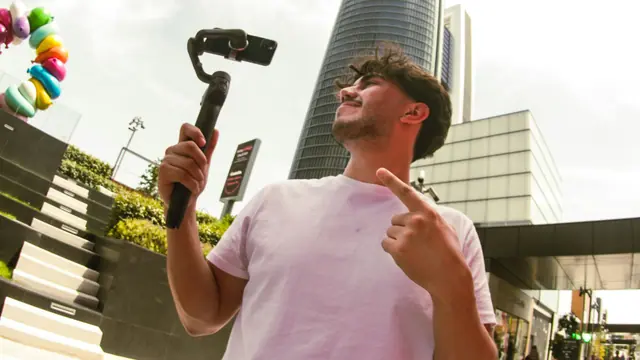
IRL stands for "in real life": streams from the street, from events, from trips or from sports. A smartphone can do this for a while. A backpack setup is built for three things a phone does less well: very long streams, a better camera with proper audio, and a more reliable upload through bonding.
Bonding means splitting one stream across several mobile connections, for example two or more SIM cards. The open-source SRTLA project describes this as transporting SRT traffic over multiple network links for capacity aggregation and redundancy, with the load balanced dynamically depending on network conditions. If one link gets weak, the others carry on.
What is inside: the components of a streaming backpack
Every streaming backpack, bought or built, consists of the same six building blocks.
| Component | Job | What to watch |
|---|---|---|
| Encoder or bonding device | Takes the camera signal over HDMI, compresses it and sends it over all connections | Codec (H.264 or H.265), number of modems, whether a paid bonding service is required |
| Modems and SIM cards | Provide the actual uplink | Compatibility with the encoder, USB power, distance to other electronics |
| Battery or power bank | Powers encoder, modems and often the camera | Capacity, stable output, USB PD support |
| Camera | Delivers picture and sound | HDMI output, stabilization, mounting |
| Cooling and airflow | Keeps encoder and battery from overheating | Ventilated bag, space around the device |
| Backpack | Carries and protects everything, holds the camera hands-free | Padding, cable routing, access to ports |
Encoder: the heart of the setup
The encoder turns the camera image into a stream and distributes it across the connections. LiveU describes its Solo PRO as a portable bonding encoder that combines up to six IP connections (four 4G/5G modems, Wi-Fi and Ethernet) at up to 20 Mbps. According to LiveU, optional HEVC (H.265) delivers the same quality in half the bandwidth of H.264. The alternative is BELABOX, a software package that turns single-board computers into an IRL encoder with H.265 encoding, modem bonding and dynamic bitrate control. For new builds, the BELABOX project currently recommends the Radxa Rock 5B+.
Modems and SIM cards
Not every USB modem works with every encoder. LiveU publishes a list of tested modems and notes that other models may work, while some older ones should be avoided. Check compatibility before you buy modems. BELABOX also warns that a modem placed right next to the board or the HDMI cable can disturb HDMI capture, so keep some distance between modems and cables.
Power and heat
According to BELABOX, the modems use most of the power in a typical setup. A power bank with USB PD support helps because it delivers a more stable supply to downstream USB modems. Heat deserves attention too: the Moblin app, for example, shows the iPhone's thermal state on the Apple Watch and supports a Black Shark cooling accessory. In a backpack, a ventilated bag and some free space around the encoder do the same job.
Three ways to get there: phone, compact encoder or complete backpack
1. Smartphone with a bonding app
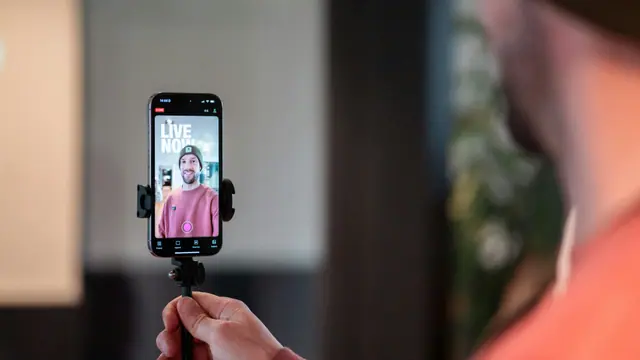
The cheapest entry point is the phone you already own. Moblin, a free iOS app, streams via RTMP, SRT or SRTLA and can bond one cellular, one Wi-Fi and several Ethernet connections at once. On the phone itself that means one cellular connection, which is the main limit compared with a dedicated encoder. It is a good way to learn what IRL streaming demands before you spend money on hardware.
2. Compact bonding encoder
A dedicated device like the LiveU Solo or a BELABOX build takes an HDMI signal from a real camera and supports several modems. LiveU sells bonding as a subscription service, and its SRT support also requires that cloud service. BELABOX is open software: you assemble the hardware yourself, and its cloud relays are offered as a perk for project supporters.
3. Complete streaming backpack
Here camera, encoder, modems, battery and bag are already connected and tested as one system. You trade flexibility for time saved. Our own IRL Backpack belongs to this category and is currently sold out (details below).
Buy or build: what really decides
| Aspect | Build it yourself | Buy a complete backpack |
|---|---|---|
| Effort | Sourcing parts, flashing images, wiring, testing on real mobile networks | Unpack, insert SIM cards, configure, go live |
| Know-how | Linux basics, networking, modem and SIM setup, troubleshooting at the roadside | Basic configuration |
| Flexibility | Every part is replaceable, any camera, any bag | Fixed components, usually with an HDMI input for other cameras |
| Support | Community channels, wikis, your own debugging | Contact at the seller |
| Cost | Single parts can be cheap, but total cost and your time add up | One price for a finished system |
For a rough sense of scale: in its own board comparison, BELABOX lists RK3588 boards at roughly 90 to 130 US dollars list price per board, depending on model and memory. The board is only one line of the bill. Modems, SIM cards, camera, battery, bag and a bonding or relay service decide the total.
Build it if you enjoy tinkering and want a setup that you can change part by part. Buy it if you mainly want to go live and not debug at the roadside. Either way, plan time for tests in real locations, because heat, power and radio interference only show up in practice.
Running costs: data plans and a worked example
The hardware is a one-time cost. What stays is mobile data, plus any bonding or server subscription. Data use follows directly from the bitrate you stream:
Gigabytes per hour = bitrate in Mbps × 0.45 (bitrate × 3,600 seconds ÷ 8 bits ÷ 1,000)
| Video bitrate | Per hour | 4 hour stream | 12 hour stream |
|---|---|---|---|
| 4 Mbps | 1.8 GB | 7.2 GB | 21.6 GB |
| 6 Mbps | 2.7 GB | 10.8 GB | 32.4 GB |
| 8 Mbps | 3.6 GB | 14.4 GB | 43.2 GB |
| 12 Mbps | 5.4 GB | 21.6 GB | 64.8 GB |
As a reference point, Twitch recommends 6,000 kbps for 1080p at 60 fps. Streaming three times a week for four hours at 6 Mbps comes to about 130 GB per month (12 streams × 10.8 GB). Audio, protocol overhead and retransmissions come on top, so keep a reserve.
With bonding, the traffic is spread across your SIM cards. The total is roughly the stream's bitrate plus overhead, not a multiple of it. What matters is that each SIM has enough volume for its share.
When you choose tariffs, check three things: whether the plan may be used in a USB modem or hotspot, how much volume is really included, and what happens abroad. Within the EU, roaming at domestic prices applies, but operators may apply a fair use limit, especially on unlimited or very cheap data plans. Outside the EU, roaming can be expensive, so ask your provider before you travel.
Why every backpack needs a server or relay
A backpack is only half of a reliable IRL setup, for two reasons.
First, bonded streams have to be put back together. Platforms typically expect a standard stream such as RTMP, so a receiver has to collect the bonded connections and forward one normal stream. The authors of SRTLA mark the receiver in their public repository as unsupported for production use and point to a hosted service instead.
Second, a stream sent straight from the backpack to the platform ends when the mobile signal is lost. A server with OBS Studio in between keeps your stream online on the platform, switches to a pause scene when the signal drops and returns to the live scene when it is back. Our IRL Endpoint Server receives RTMP, SRT and SRTLA and passes the stream to the OBS Studio on your own PC. Our IRL Broadcasting Server runs OBS Studio in the cloud, so you need no streaming PC at home. Both support up to 1080p at 60 fps, alerts and overlays, and automatic scene switching in OBS. They are business offers, with the IRL Endpoint Server starting at 20 € and the IRL Broadcasting Server at 99 € per month (net, annual billing).
Our IRL Backpack: components and status
Our IRL Backpack is a complete kit, and it is currently sold out. This is what the product page lists:
- Manfrotto backpack with padded shoulder straps and an exterior mesh for airflow
- LiveU Solo HDMI video encoder
- Two LTE modems included, up to four networks at the same time (using more than one connection requires a separate cloud bonding service)
- Sony FDR-X3000 action camera with f2.8 aperture, with a backpack bracket for hands-free use, plus a tripod. Other cameras work if they output video via HDMI
- Battery for up to 12 hours without external power, and a power outlet connection for longer streams
- Streaming at up to 1080p and 60 fps, started with a single button press after the initial setup
It is offered to business customers, at 2,749 € one time (net, including shipping). While it is unavailable, our IRL servers work with the smartphone, camera or encoder you already have.
If you want to learn how the whole chain fits together, our IRL streaming guide walks through it.
FAQ
Is it cheaper to build an IRL streaming backpack yourself?
Not automatically. Single parts such as a single-board computer can be inexpensive, but modems, SIM cards, camera, battery, bag and a bonding or relay service add up, and so does the time you spend on setup and testing. Building pays off if you value flexibility and enjoy the work.
How much mobile data does an IRL stream use?
Multiply the bitrate in Mbps by 0.45 to get gigabytes per hour. At 6 Mbps that is about 2.7 GB per hour, or roughly 32 GB for a 12 hour stream. Add a reserve for audio and overhead.
How many modems or SIM cards do I need?
That depends on the signal quality where you stream. Two modems are enough in most cases, and a local Wi-Fi network can serve as a third connection. Dedicated encoders such as the LiveU Solo PRO support up to four modems. Using SIM cards from different networks spreads the risk if one network is weak.
Can I stream with just my smartphone instead of a backpack?
Yes. Apps like Moblin can stream with SRTLA, and a phone is the cheapest way to start. A backpack adds a better camera, more connections and longer runtime.
Do I still need a server if I buy a complete backpack?
For stable streams, yes. A server receives the stream, keeps your channel online during short signal drops and lets you add scenes, alerts and overlays with OBS Studio.